G-Buffer
Materials that write to Depth PrePass also write to a G-Buffer, if you are using the standard ShadingModel, you just have to make sure you have a Depth(); mode enabled
Materials that write to Depth PrePass also write to a G-Buffer, if you are using the standard ShadingModel, you just have to make sure you have a Depth(); mode enabled
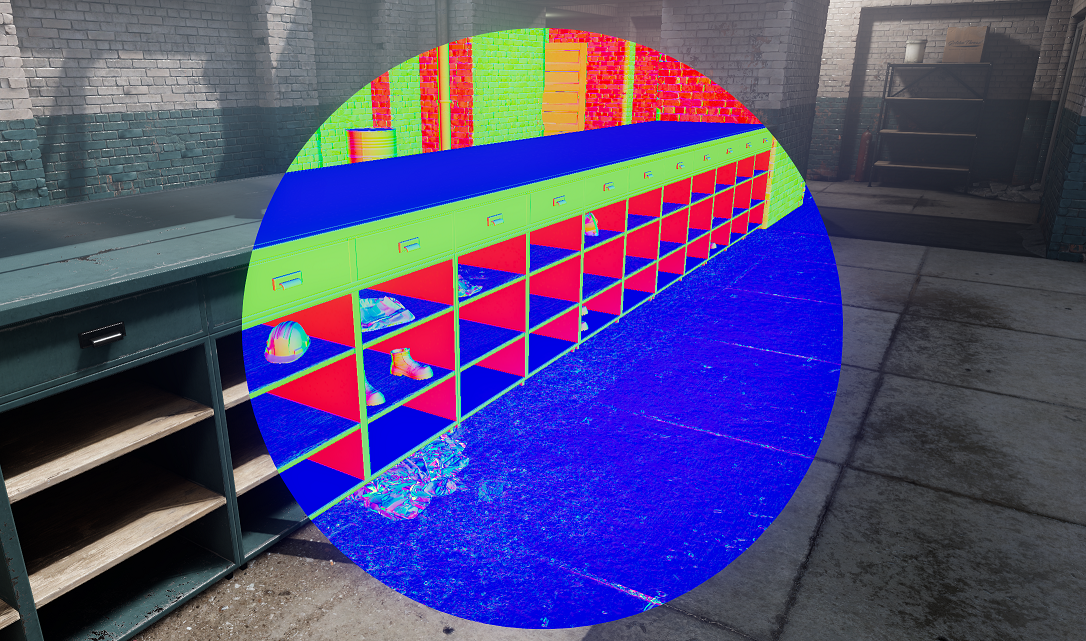
It contains minimal information about the object before we do the lighting pass, like it's Normals and Roughness, it can be used in post-processing to do all sorts of effects like accurate Ambient Occlusion and Screen-Space Reflections
You can sample the G-Buffer in any shader with
float3 Normals::Sample( int2 ScreenPosition )
float3 Roughness::Sample( int2 ScreenPosition )
If the object in that texel does not write to the G-buffer, then it reconstructs normal maps from it
Referenced API
Canonical API pages mentioned in this guide.
Information about the spline at a specific distance.
No summary available.
No summary available.
No summary available.
Absolute position of the mouse cursor on the screen.
Position of the widget relative to the monitor's top left corner.
No summary available.