Exporting Standalone
Exporting standalone games is currently in preview. Distribution requires approval from Valve - we're working with them to open this up to everyone. In the meantime, please don't distribute exported builds without a license from us (contact garry@facepunch.com).
Exporting standalone games is currently in preview. Distribution requires approval from Valve - we're working with them to open this up to everyone. In the meantime, please don't distribute exported builds without a license from us (contact garry@facepunch.com).
Export your game as a standalone executable and distribute it outside of the s&box platform.
- Steam and beyond - publish to any storefront, as long as it's also on Steam
- No engine royalties - the engine is completely royalty-free, no revenue share
- Open source engine - full access to the engine source code
- PC Only - we don't have any console or mobile exports right now, this could always change in the future
- Full .NET access - no code whitelist, use any .NET API
Standalone games have no code whitelist restrictions and some additional APIs. See Standalone Code for details.
Export Wizard
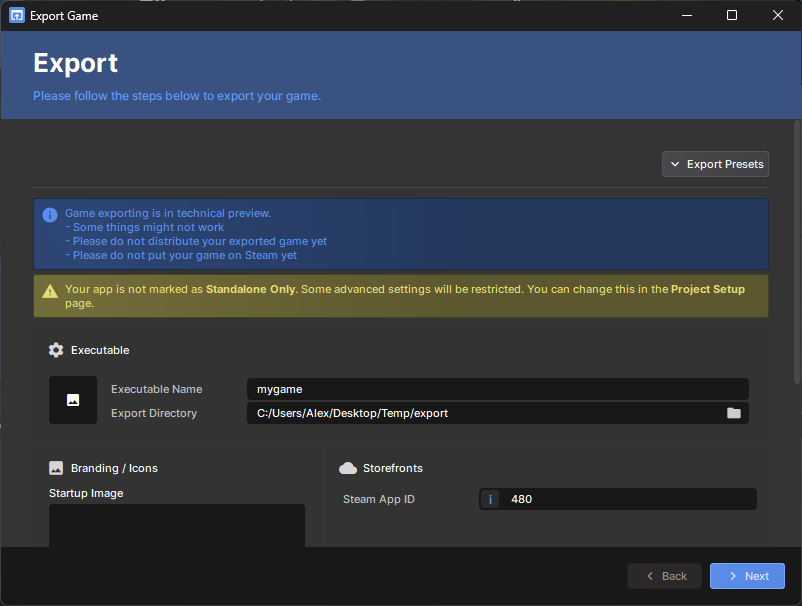
- Click the Project menu
- Click Export…
- Set your icon, splash screen, and Steam App ID
- Click Next and wait for the export to complete
- Your executable will be in the output folder — click Open Folder to find it