Movie Maker
Movie Maker is a timeline-based editor built into S&box for animating anything in your scene. Keyframe object properties, record gameplay, animate characters with bones and IK, and export finished videos — all without leaving the editor.
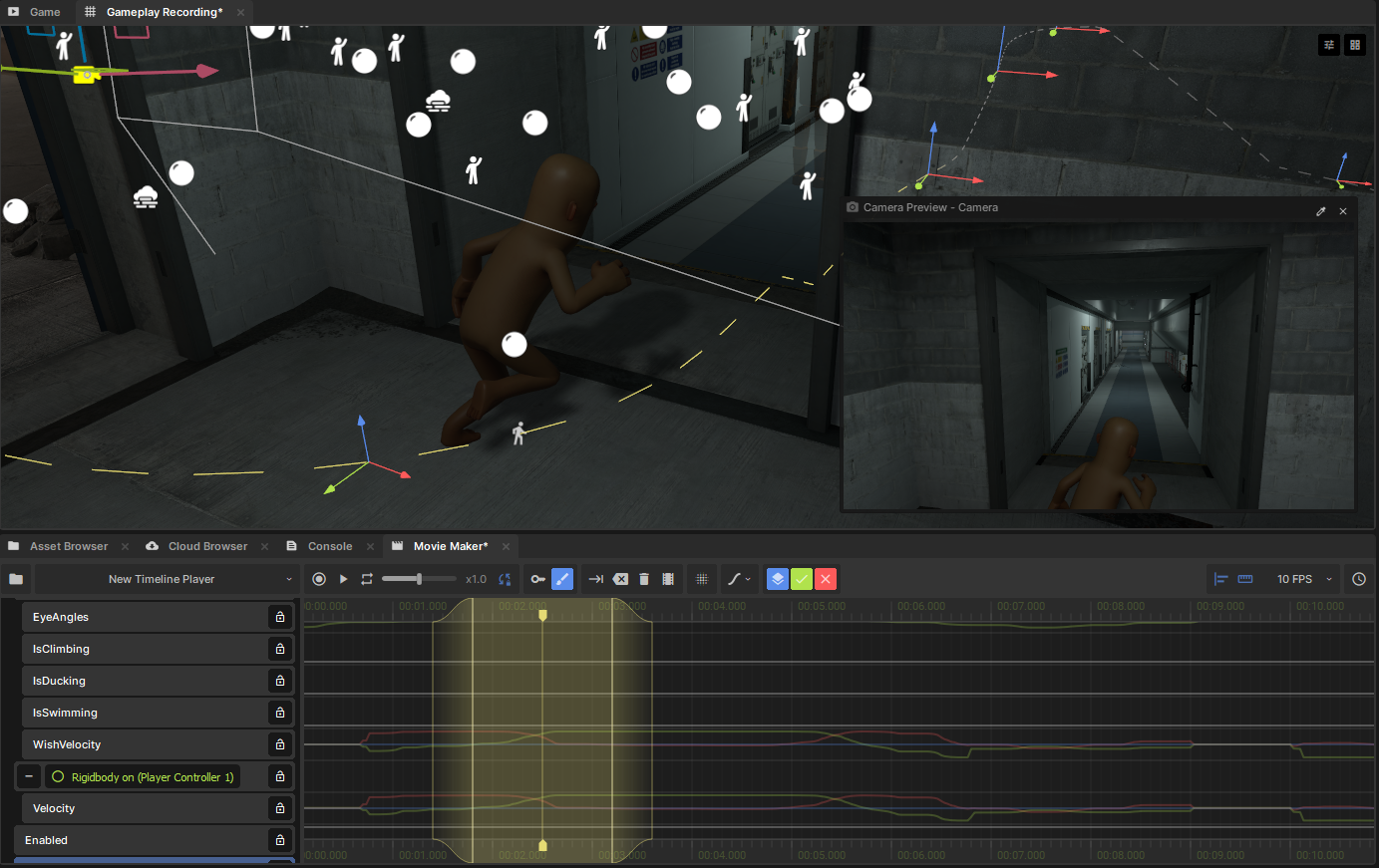
Movie Maker is a timeline-based editor built into S&box for animating anything in your scene. Keyframe object properties, record gameplay, animate characters with bones and IK, and export finished videos — all without leaving the editor.
What Can You Make?
- Cutscenes — choreograph cameras, characters, and events on a timeline
- Trailers & Videos — compose shots and export directly to video
- Skeletal Animation — pose and animate skinned characters with bones, IK, and motion editing
- Timed Events — synchronize lights, audio, UI, and gameplay triggers
- Recorded Gameplay — capture live gameplay and refine it into polished animation
How It Works
A Movie Player component in your scene controls playback of a Movie Resource, which contains tracks describing how properties change over time. Drag any GameObject or property onto the timeline to start animating it.
Movies can be embedded in a player or saved as reusable .movie assets. Combine multiple movies with sequences to organize complex multi-shot projects.
Pages
- 🌱 Getting Started — set up your first movie and learn the basics
- 🗺️ Editor Map — find your way around the interface
- 🔑 Keyframe Editing — animate properties with keyframes
- 🖌️ Motion Editing — fine-tune animations with curves and layers
- 🦴 Skeletal Animation — animate characters with bones and IK
- 🎥 Recording — capture gameplay as animation data
- 🎞️ Sequences — combine clips into multi-shot projects
- 📼 Exporting Video — render to video files
- 🧑💻 Playback API — play movies from code
- 🧑💻 Recording API — record animations programmatically